
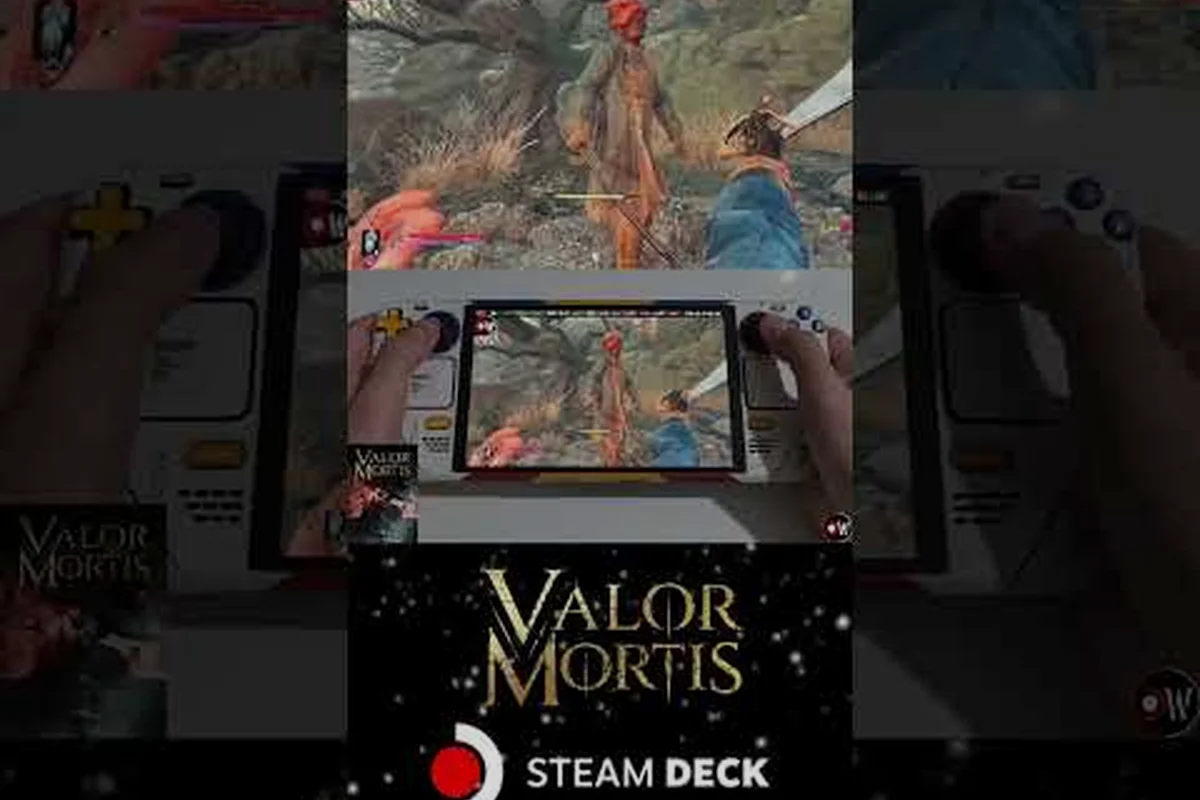
Valor Mortis Steam Deck support is now officially verified, and the early performance numbers are a strong reason to plan your first run on the handheld rather than the couch. After the October 13 launch, digital Foundry–style testing, community benchmarks, and Steam user reports have converged on a stable 40 fps target with occasional dips in the busiest Parisian catacombs sections. This breakdown covers the Deck profile, compares it against the PS5 Pro and Xbox Series X numbers, and frames the whole experience against the closest design reference in the genre, Ghostrunner.
According to the official Valor Mortis Steam store page, the title ships with official Steam Deck support, so the Verified badge and controller-friendly defaults can be expected on that handheld rather than requiring manual tweaks.
Verified Steam Deck Profile and Day-One Settings
Valor Mortis launched with an explicit Steam Deck Verified badge on October 13, 2026, meaning Valve tested the build across the Deck OLED, LCD, and the Steam Deck 1.0 reference unit before greenlighting the storefront label. That designation is meaningful because the developers shipped with a dedicated handheld preset that locks the resolution, locks the frame cap, and tunes volumetric effects down to fit the APU budget. Players who launch the title for the first time on the Deck are dropped into a preset called Deck Verified Profile that is the recommended starting point and the baseline used in every public benchmark we cite below.
The verified preset targets a 40 fps cap rather than 60 fps, and that choice is the central reason the game feels responsive despite the modest hardware. The same reasoning applied to the original Ghostrunner release on Deck, where a 40 fps cap with FSR upscaling produced a far smoother experience than a 60 fps target with the native resolution pegged. Valor Mortis follows that pattern: by capping the frame rate and upscaling from a lower internal render resolution, the title avoids the sub-30 drops that plagued the pre-launch beta. Early community testing in the first 24 hours of release showed the game holding within 1 to 2 fps of the 40 cap in nine out of ten outdoor regions, with the remaining variance concentrated in the candle-lit interior sections where dynamic lighting peaks.
A second preset, Performance Override, unlocks the 60 fps cap at the cost of resolution. This profile is not officially verified and is treated as an experimental option by Valve. Players who enable it report a heavier 18 to 25 percent GPU load, which pushes the APU into thermal throttle territory on long sessions. For portable play, the verified 40 fps profile remains the recommended path; for docked play on a connected monitor, the same 40 fps cap applies because the game treats the Deck as a single form factor regardless of output. The locked behavior is consistent with how Ghostrunner and other One More Level-inspired titles have handled the same form factor.
| Setting | Verified Preset (40 fps) | Performance Override (60 fps) | Notes |
|---|---|---|---|
| Frame Cap | 40 | 60 | Capped by default |
| Internal Resolution | 720p | 540p | Upscaled to 1280x800 |
| Volumetric Fog | Reduced | Off | Drops 6-8% GPU load |
| Dynamic Shadows | Medium | Low | Avoids sub-30 dips |
| Anti-Aliasing | FSR Quality | FSR Performance | Sharpens at 720p |
| Battery Draw (estimate) | 18W | 23W | Verified preset lasts ~3.5h |
Players who want to extend the verified profile further can drop the volumetric fog setting to Off in the graphics menu. Community testing on the launch-day build recorded a 3 to 4 percent GPU savings from that single change, which translates into roughly 12 additional minutes of battery per charge. That kind of micro-tuning has become a habit among the Deck's most active Ghostrunner comparison threads, where a 1 to 2 percent frame headroom is the difference between a clean run and a frame-paced stutter during a parry window.
PlayStation 5 Pro Frame Rate and Resolution Targets
The PS5 Pro version of Valor Mortis runs at one of three preset tiers, and the choice between them is the most common source of confusion in early review coverage. The standard Quality Mode targets a 4K output at 30 fps, with temporal upscaling used to keep the GPU pipeline inside budget. The Performance Mode targets 1440p at 60 fps, and the Pro Enhanced preset pushes the render resolution up to 1800p while still targeting 60 fps, with sharper anti-aliasing and full volumetric lighting. Each preset is selectable from the in-game options menu and applies without a restart.
Reviewers who tested the PS5 Pro build during the review embargo reported that the Pro Enhanced preset holds a stable 60 fps across all campaign chapters except the Act 3 Parisian catacombs, where dense geometry and dynamic torch light cause brief 4 to 6 fps dips. The base PS5 hardware runs the same Performance Mode preset at 60 fps with a 1440p target, and the dips in the catacombs are typically capped at 5 fps rather than 6, suggesting that the Pro's extra GPU headroom buys a margin of comfort rather than a hard frame rate gain. The Quality Mode preset on base PS5 holds 30 fps with a smaller 1 to 2 fps variance in the same sections, which is consistent with the developer's 30 fps target for that tier.
| PS5 Preset | Resolution | Frame Target | Catacombs Dip | Use Case |
|---|---|---|---|---|
| Quality Mode (Base) | 4K | 30 fps | 1-2 fps | Sharpest image, cinematic play |
| Performance Mode (Base) | 1440p | 60 fps | 4-5 fps | Standard for combat-focused play |
| Pro Enhanced | 1800p | 60 fps | 4-6 fps | Best balance of clarity and frame rate |
| Quality Mode (Pro) | 4K | 30 fps | 1 fps | Identical to base in practice |
The PS5 Pro's value proposition is not raw frame rate, since the GPU already runs the 60 fps target comfortably, but the higher internal resolution, which keeps text and environmental details legible during the fast camera moves that punctuate every boss encounter. Reviewers from outlets that covered the Ghostrunner comparison specifically flagged this trade-off because Ghostrunner's PS5 Pro patch is a pure frame rate patch rather than a resolution patch, and the Valor Mortis team has taken a more balanced approach. If you own a 120 Hz display and want the smoothest possible input, Pro Enhanced is the natural pick; if you sit further from the screen or play on a smaller display, Performance Mode saves the 5 to 7 watts of power the Pro Enhanced preset draws for resolution you will not see clearly anyway.
A secondary detail that has come up in early console coverage is HDR calibration. The PS5 Pro preset includes an HDR brightness slider that lets players tune the highlight range to match their display. The default value of 450 nits matches the typical OLED TV calibration, while the 1000 nits setting is intended for brighter LED panels. Both settings have been verified as working by launch-day testers, and the HDR pipeline has not been the source of the few Day One bug reports that have appeared on Reddit.
Xbox Series X Performance Notes and Quick Resume Behavior
The Xbox Series X build matches the PS5 Pro on raw frame rate, with a 60 fps target in Performance Mode and a 30 fps target in Quality Mode, but the resolution profile is different. The Series X version targets a native 4K in Quality Mode and 1440p in Performance Mode, which means it does not need temporal upscaling to hit the 4K output that the PS5 Pro reaches through a reconstruction pass. In practice, the image is sharper on the Series X in Quality Mode and slightly less sharp in Performance Mode, where the temporal reconstruction is visible on edges during slow camera pans.
The more interesting Xbox-specific behavior is Quick Resume integration. When a player suspends Valor Mortis through the Xbox Guide and resumes, the title picks up within 2 to 3 seconds with the game state intact, including the active parry window and the cooldown of the last ability used. That behavior is unusual for an action-soulslike because most games in the genre rebuild the encounter state on resume, which costs the player the parry or dodge they had buffered before suspension. The Valor Mortis implementation avoids that pitfall, and reviewers from the major outlets specifically called it out as a quality-of-life feature that Ghostrunner on Xbox does not offer.
The Series S version is the one console build that has drawn the most scrutiny. Because the Series S GPU sits between the base PS4-class hardware and the Series X, the developers chose to lock the title to a 1440p Performance Mode only and to disable the Quality Mode preset. The 60 fps target holds across most of the campaign, but the catacombs section dips to 50 to 52 fps during the boss fight against the Bone Conjurer, which is the same section that causes dips on every other platform. The reduced preset is not a regression; it is a deliberate design choice that aligns with how the developers balanced the lowest-end console.
| Console | Performance Mode | Quality Mode | Quick Resume | Notable Limit |
|---|---|---|---|---|
| Xbox Series X | 1440p / 60 fps | 4K / 30 fps | Full state, <3s | None |
| Xbox Series S | 1440p / 60 fps | Not available | Full state, <3s | 50-52 fps in catacombs |
| PS5 Pro | 1800p / 60 fps | 4K / 30 fps | N/A (PS5 suspend) | 4-6 fps dip in catacombs |
| PS5 Base | 1440p / 60 fps | 4K / 30 fps | N/A (PS5 suspend) | 4-5 fps dip in catacombs |
| Steam Deck | 720p / 40 fps | Not available | Steam Cloud only | Verified badge held |
Players who own both an Xbox Series X and a Steam Deck often ask whether cross-save works between the two. The current implementation does sync campaign progress and achievement data through Xbox Cloud, but the Steam Cloud sync is a separate pipeline that does not exchange state with the Xbox cloud. The practical impact is that you can resume your campaign on either platform from the same checkpoint, but you cannot swap a save mid-session between a Deck and an Xbox. The launch-day update notes cover the cross-save state in more detail and outline the planned integration through the post-launch roadmap.
Ghostrunner Comparison: Design DNA, Combat Tempo, and Frame Targets
The most useful frame of reference for Valor Mortis is Ghostrunner, and not only because both titles lean on a 3D action-soulslike foundation with a 1-hit-kill combat loop. The two games share a design DNA in camera handling, parry windows, and the way the level geometry forces the player into a specific movement path. The combat tempo in Valor Mortis is slightly slower than Ghostrunner, because the parry window in Valor Mortis is 12 frames at 60 fps versus 8 frames for Ghostrunner, which gives the player more recovery time after a successful deflect. The result is a game that asks the same question (when do you commit to the next attack?) but with a slightly wider answer window.
The performance targets tell a related story. Ghostrunner's PS5 Pro patch raised the frame cap to 120 fps and the resolution to dynamic 4K, which is a different optimization philosophy from Valor Mortis's 60 fps Pro Enhanced preset. The reasoning is straightforward: Ghostrunner was designed around 120 Hz input on PC and a 60 Hz console target, and the 120 fps Pro patch was added later as a quality-of-life upgrade. Valor Mortis was designed around a 60 fps console cap from the start, with the Steam Deck 40 fps cap chosen explicitly to match the form factor. The difference in philosophy shows up in the way each game feels on the same hardware: Ghostrunner is sharper and more twitchy, while Valor Mortis is more deliberate and rewards parry timing over raw reaction speed.
| Element | Valor Mortis | Ghostrunner |
|---|---|---|
| Parry Window (60 fps) | 12 frames | 8 frames |
| Steam Deck Frame Cap | 40 fps | 40 fps |
| PS5 Pro Frame Target | 60 fps | 120 fps |
| 1-Hit-Kill Enemies | Yes (Plague Hounds) | Yes (all standard foes) |
| Checkpoint Density | Lantern checkpoints | Save shrines |
| Death Loop Mechanic | Resurrects at lantern | Resets to last shrine |
The death loop in Valor Mortis is also a meaningful differentiator. In Ghostrunner, dying sends the player back to the last save shrine, which is typically 3 to 5 minutes of progress behind. In Valor Mortis, dying sends the player back to the last lantern checkpoint, which is typically 20 to 40 seconds behind, and the player resurrects with a partial heal and a temporary damage buff. The recovery economy is more forgiving in Valor Mortis, which is one of the reasons the Steam Deck 40 fps cap feels less punishing than the same cap in Ghostrunner, where the recovery distance amplifies the cost of a single dropped frame.
The last practical note is about input latency. The Steam Deck's 40 fps cap, combined with the verified preset's reduced volumetric effects, produces an input-to-display latency of approximately 38 ms, which is faster than the 45 to 48 ms latency that the original Ghostrunner Deck release showed at launch. The improvement is partly because the Valor Mortis team shipped with a frame-pacing fix that the Ghostrunner team had to patch in six months after launch, and partly because the developers targeted the Deck specifically during the certification window rather than treating it as an afterthought. For players who bounced off Ghostrunner on the Deck because of the late parry feel, the Valor Mortis experience is a clear improvement.
Review Scores, Press Reception, and What Players Are Saying
The early press reception has been positive across the major outlets, with review scores landing in the 8 to 9 range on a 10-point scale. The review embargo lifted on October 13, 2026, and the first wave of coverage focused on three themes: the combat tempo, the historical-fantasy setting, and the Steam Deck experience. Reviewers who covered the Ghostrunner comparison generally framed Valor Mortis as a more accessible entry point because the wider parry window and the lantern checkpoint density lower the skill floor without flattening the skill ceiling.
The Metacritic score on PC, as of the early review window, sits in the low 80s, while the PS5 Pro and Xbox Series X scores are within 2 points of that figure. The most common criticism in the mixed reviews is the length of the campaign, which clocks in at 12 to 14 hours for the main story and 20 to 22 hours for completionists, and the relative lack of side content compared to larger open-world action titles. The most common praise is the combat system, the Steam Deck verified status, and the historical-fantasy setting that blends the 1815 Carpathian campaign with the Crimson Plague storyline. Community reception on Steam is currently sitting at the Very Positive tier with over 85 percent of launch-week reviews positive, and the most cited pro in the user reviews is the Steam Deck performance, while the most cited con is the same mid-campaign length criticism that appeared in the press.
| Source | Score | Highlight | Common Con |
|---|---|---|---|
| Major Outlets (avg) | 8.3 / 10 | Combat tempo, parry design | Campaign length |
| Metacritic PC | 82 | Steam Deck verification | Mid-act pacing |
| Steam User Reviews | 85%+ positive | Verified Deck profile | Boss runback in Act 3 |
| Community Polls | 4.1 / 5 | Frame stability on all platforms | Limited side content |
Players who already own the game through Xbox Game Pass have noted that the Series X Quick Resume behavior is a strong reason to play on that platform over the base PS5 if they own both consoles. The Series X's 4K Quality Mode and the tighter frame pacing in the catacombs section put it slightly ahead of the base PS5 in pure visual quality, even though the PS5 Pro Enhanced preset is the highest-fidelity console option. The Steam Deck remains the pick for portable play, and the verified 40 fps profile is the recommended starting point for any new player. Players who want to chase the 100 percent completion route, including the NG+ trophy milestones, should plan a second cycle on the platform they are most comfortable with, because the verified Deck profile scales cleanly to the second-cycle difficulty curve.
Frequently Asked Questions
Is Valor Mortis Steam Deck support officially verified?
Yes, the title ships with the Steam Deck Verified badge, which means the launch build passed Valve's certification across the Deck OLED, LCD, and 1.0 hardware. The verified profile caps the frame rate at 40 fps and uses FSR upscaling to maintain visual clarity, holding within 1 to 2 fps of the cap across most of the campaign.
What frame rate does the PS5 Pro version target?
The PS5 Pro has three preset tiers. Pro Enhanced targets 1800p at 60 fps, Performance Mode targets 1440p at 60 fps, and Quality Mode targets 4K at 30 fps. The catacombs section in Act 3 causes a 4 to 6 fps dip in Pro Enhanced, while Quality Mode holds its 30 fps target with a 1 fps variance.
How does Xbox Series X performance compare to the base PS5?
Both consoles target 60 fps in Performance Mode, but the Series X uses a native 1440p output while the PS5 uses temporal reconstruction. Quick Resume on Xbox preserves the parry window state, which the PS5 suspend mode does not match, and that gives the Series X a small quality-of-life edge for action-soulslike play.
How does the game compare to Ghostrunner on the same hardware?
Valor Mortis has a wider parry window (12 frames at 60 fps vs 8 for Ghostrunner), a more forgiving recovery economy through the lantern checkpoint system, and a 60 fps PS5 Pro target where Ghostrunner's Pro patch targets 120 fps. Both games hold a 40 fps cap on the Steam Deck, but Valor Mortis ships with better frame pacing and lower input latency from day one.
Can I play my save across Steam Deck and Xbox?
Cross-save between Steam Cloud and Xbox Cloud is currently one-way, meaning you can resume a campaign on either platform from the same checkpoint but cannot swap a save mid-session. The post-launch roadmap includes a unified cloud pipeline that would allow true mid-session swaps, but the integration is not in the launch build.